Print & Export
Print layouts and output
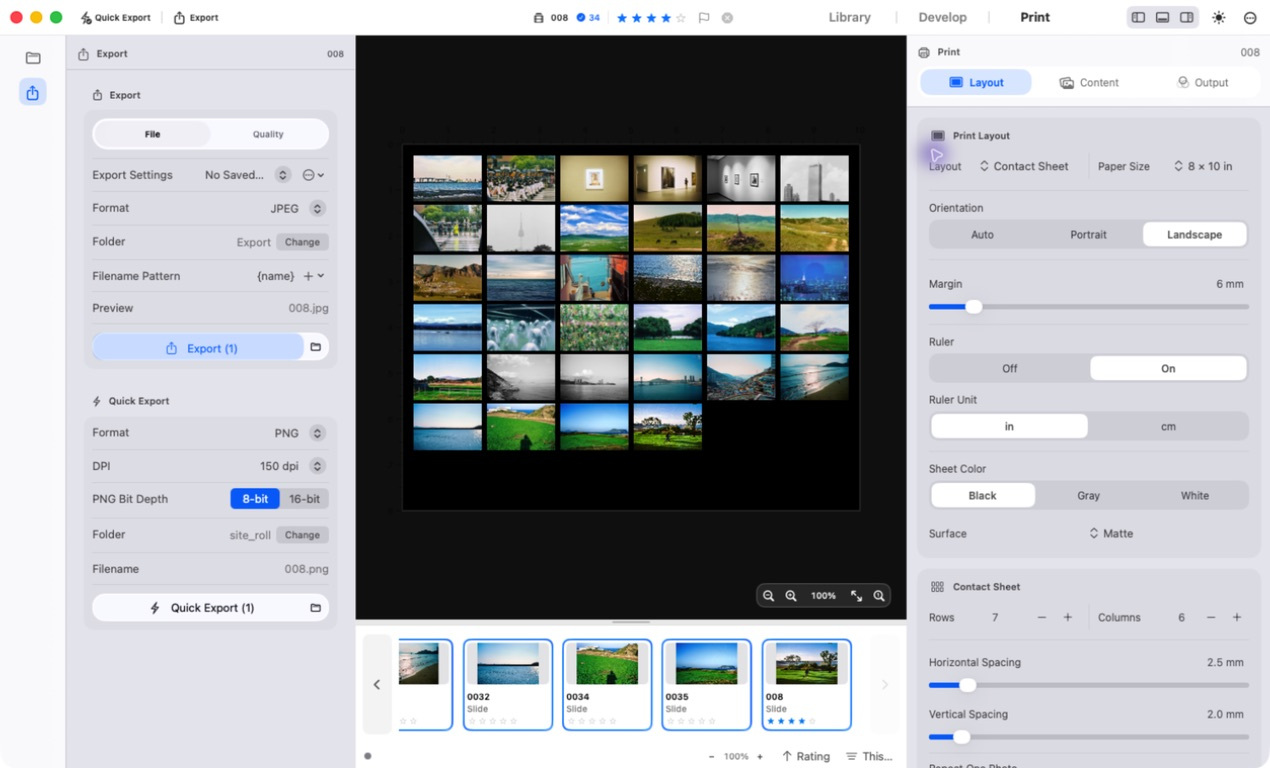
Set the paper, margins and layout for output. Prepare a single photograph or a contact sheet for a roll.
- Paper and layout
Prepare single images, contact sheets, picture packages or custom packages. Set the paper, margins, image spacing and captions.
Cyanotype, glass plate and gelatin silver are available as software effects.
- Export files
- Save the page as JPEG or 16-bit TIFF with the paper size and layout preserved. Set the DPI and file names.
- Output color
- Choose sRGB, Display P3 or Adobe RGB for output. You can also apply a custom RGB printer ICC profile.
- C-print preview
- Preview output colors with your lab’s RGB ICC profile. This profile is used only for the on-screen preview.